For real estate agents
Send real estate documents as links. Know when they are opened.
Listings, brochures, disclosures, offers: send any of them as one link that opens on any phone. You get an email when your client opens it.
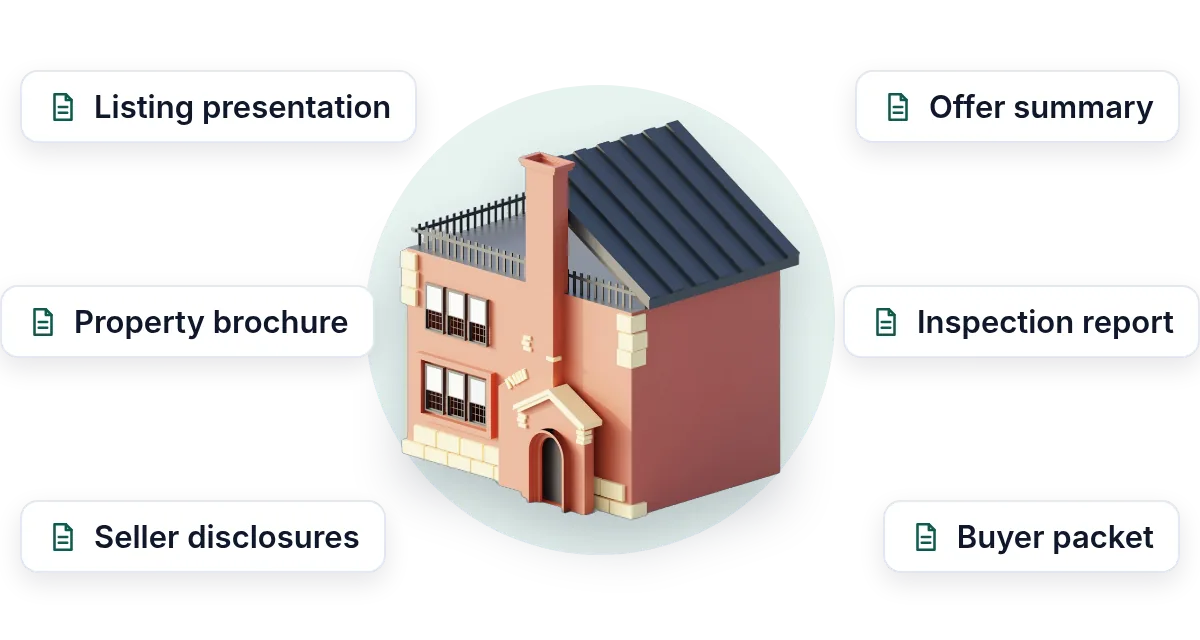
- Send it as a linkNo attachment. It opens on any phone, with no app.
- Know when it is openedAn email the moment your client opens it.
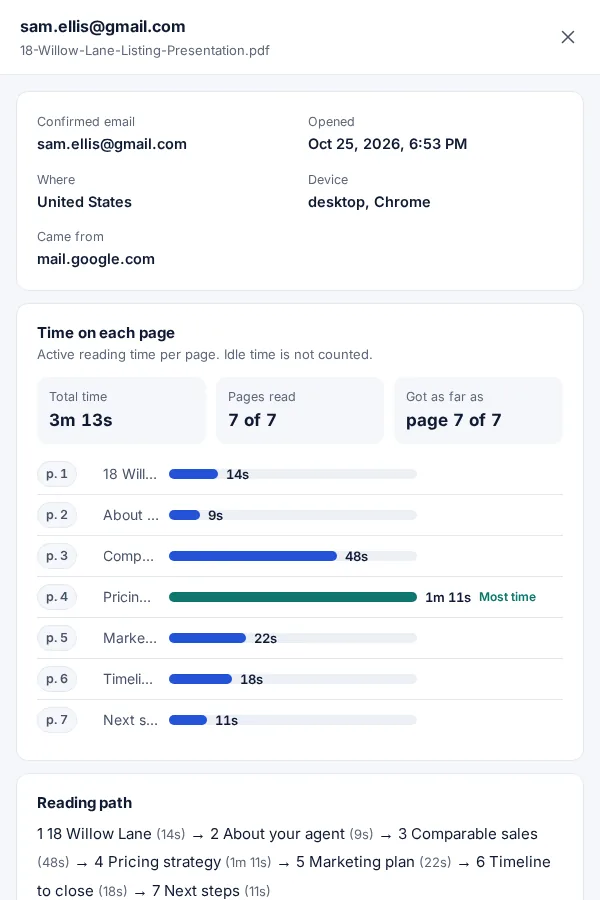
- See what they readWhich pages, and for how long. Call at the right time.
Uploading. Keep this page open.
Where should the code go?
File uploaded. Enter your email to get your link.
Enter the code
Sent to . It expires in 10 minutes.
Your link is ready
Free: every feature on 3 links, including who opened it and time on each page.
Opening it from here does not count as an open.
See when it is seenYour private stats page. Keep it to yourself: anyone with it can see the stats.Both links are in your email too. Upgrade to Pro.
FileSeen lets real estate agents send any document as a link: listing presentations, property brochures, seller disclosures, offers and inspection reports. You get an email when the buyer or seller opens it, see which pages they read, and can print a QR code for the yard sign.
The listing appointment is won after you leave
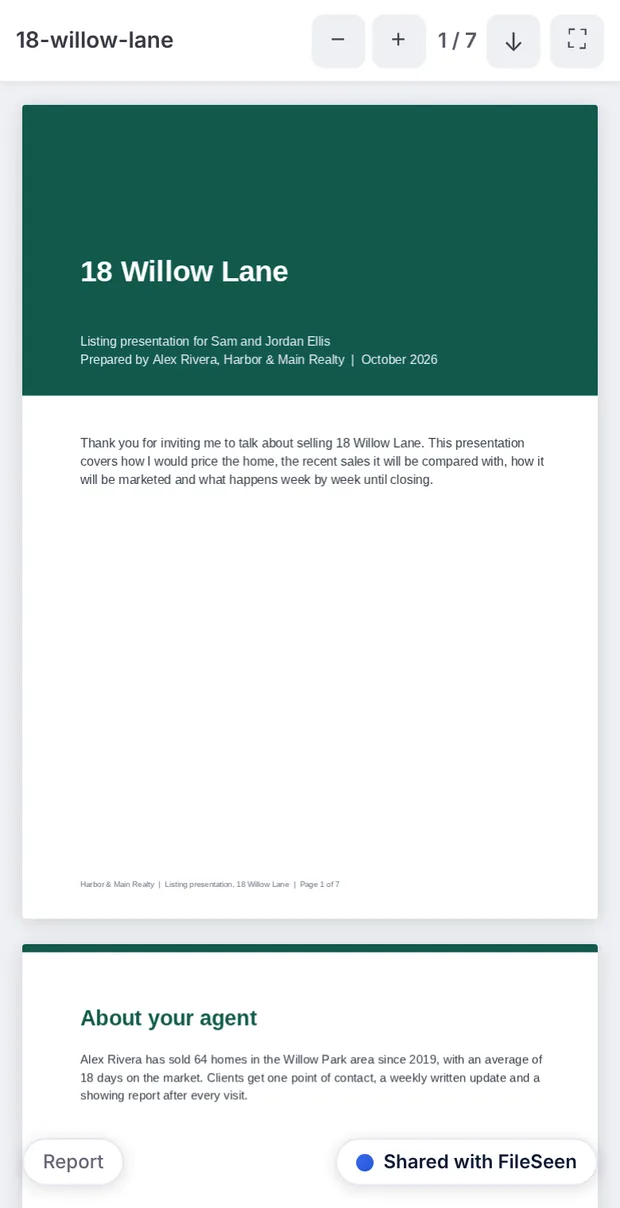
Sellers compare two or three agents. The comparative market analysis and the price you suggest are what they reread that evening.
- Send the presentation as a link that opens in the seller's browser, with no download.
- Get an email when it is opened, and again every time it is read.
- See the time on each page: the pricing page read twice, the marketing plan skipped.
- Call when they are reading, not two days later.
How agents use FileSeen
From listing appointment to signed agreement
The same steps work for a buyer packet or an offer summary.
-
Step 1
Upload the presentation
PDF, PowerPoint or Word. It opens on any phone exactly as you designed it (Free).
-
Step 2
Send the link to the seller
Paste it into a text or an email. Turn on the email check to see the seller's name on each visit.
-
Step 3
Get the open alert
An email every time it is opened, or a daily summary, all free.
-
Step 4
Follow up on what they read
The stats page shows the time on each page, so the call starts with the price, not small talk.
Made for listings, brochures and open houses
The free plan has every feature below on 3 links. Pro is for unlimited links.
- A QR code for every link: print it on the yard sign or the open house flyer. More on QR codes for flyers.
- Replace a file, same link: the price drops, the brochure changes, and the printed QR code still opens the new one.
- Key page alert: tag the pricing page and get an email when someone spends 30 seconds or more on it.
- Name, company or phone: ask open house visitors for a phone number before the brochure opens.
- Your logo and a button on the page: "Book a showing" under the brochure.
- Many files in one link: the disclosures, the floor plan and the inspection report behind one link for the buyer's agent.
A link or an attachment for your listing presentation
| Email attachment | FileSeen link | |
|---|---|---|
| Know when it is opened | No | Yes, an email on every open |
| Time on each page | No | Yes, visit by visit |
| Change or stop it after sending | No: the copy is theirs | Replace the file, set an expiry or switch the link off |
| Opens on a phone | Depends on the reader's apps | Yes, in the browser, with no app |
| Large files | About 20 to 25 MB, set by the mail provider | Up to 95 MB |
When FileSeen fits, and when it does not
A good fit
- Agents and small teams sending listing presentations, CMAs and buyer packets.
- Property brochures that should open from a QR code on a sign or flyer.
- Sellers and buyers who read on their phone and will not install anything.
Not the right tool
- E-signatures on the listing agreement or the offer: use your e-signature tool.
- Showing schedules or a full transaction platform.
- Detecting forwarding: FileSeen shows each open, not a forward.
FAQ
Questions from agents
How do I send a digital listing presentation?
Export it as a PDF or PowerPoint, upload it to FileSeen and send the link by text or email. The seller opens it in the browser on any phone or computer, with no account.
Can I see if the seller read my listing presentation?
Yes. You get an email when it is opened, and the stats page shows the reading time and the time on each page. Turn on the email check to see the seller's name on each visit.
How do I make a QR code for a real estate listing?
Upload the brochure and FileSeen gives you a QR code with the link. Download it as a PNG for the yard sign or the flyer. Each scan that opens the brochure shows up on the stats page.
Can I update the brochure after the QR code is printed?
Yes. Replace the file in the link settings and the same link and QR code open the new version, so a price change does not mean new signs.
Do buyers need an app to open a property brochure?
No. The link opens in any phone browser. PDFs open view-only by default; switch downloads on if buyers should keep a copy.
Is FileSeen free for real estate agents?
The free plan has every feature on 3 links, with no time limit. Deleting a link does not free a slot. Pro is $12 a month or $99 a year for unlimited links.
Who uses FileSeen