Coupon QR code
Coupon QR code: an offer that ends when the deal does
Put a QR code on a flyer, receipt or shop window that opens your coupon or offer sheet. Set the link to expire with the deal and count how many people looked.
Swap the file anytime. The printed QR code keeps working.
Uploading. Keep this page open.
Where should the code go?
File uploaded. Enter your email to get your link.
Enter the code
Sent to . It expires in 10 minutes.
Your link is ready
Free: every feature on 3 links, including who opened it and time on each page.
Opening it from here does not count as an open.
See when it is seenYour private stats page. Keep it to yourself: anyone with it can see the stats.Both links are in your email too. Upgrade to Pro.
How to create a QR code for a coupon
An offer people can scan, in three steps
The code opens the coupon itself, so customers can show it on their phone at the counter.
-
Step 1
Upload the coupon
An image of the coupon, or a PDF with the offer, the terms and the participating locations.
-
Step 2
Set the end date
Choose an expiry of 1, 7 or 30 days on the stats page to match the length of the deal.
-
Step 3
Print it where buyers are
Receipts, bag stuffers, the shop window, a mailer or a flyer on the community board.
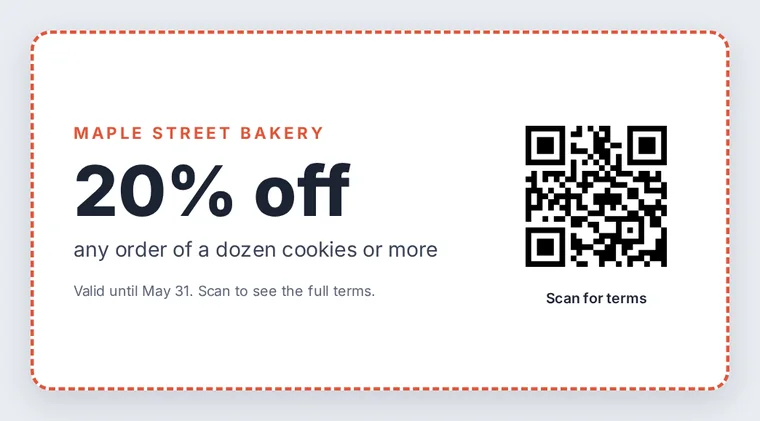
What FileSeen does for a coupon, and what it does not
FileSeen hosts the coupon and counts how many times it was opened, by day and by country. It does not check out, redeem or limit coupons: there is no single-use code and no point-of-sale connection. Staff accept the coupon the way they accept a printed one, by looking at it.
Coupons are also a favorite target for fake codes: the FBI has warned about criminals pasting their own QR codes over real ones. Print the code into the coupon design instead of on a sticker, and check window displays now and then.
FileSeen is a good fit for simple offers: a percentage off, a free item with a purchase, a seasonal special. For one-use codes or online checkout discounts, use the coupon feature of your till or online store and put that code inside the image.
Let the offer end on its own
When the expiry date passes, the code opens a page saying the link has expired, so an old receipt cannot be used to claim a finished offer. To run the next promotion, upload a new coupon and print a new code.
Which channel brings people in?
Give each channel its own link: one code on receipts, one in the window, one on the mailer. Each link has its own open count, so by the end of the offer you can see which one people actually scanned. The free plan has 3 links, enough to compare three channels at once. Opens tell you about interest; your till tells you about sales.
FAQ
Coupon QR code questions
How do I create a QR code for a coupon?
Upload an image or PDF of the coupon at the top of this page, confirm your email with the 6-digit code, and save the QR code. Then set an expiry date on the link so the offer stops when the deal ends.
How do I scan a coupon QR code?
Point the phone camera at the code and tap the link that appears. The coupon opens in the browser, ready to show at the counter.
What is the best app for scanning coupon codes?
No extra app is needed. The camera app on current iPhones and Android phones reads QR codes on its own, and fewer apps means fewer chances of landing on a fake page.
How can I scan for a discount?
Scan the code on the receipt, flyer or window with your camera. The offer opens on your phone; show the screen at checkout as the store asks.
Does FileSeen stop a coupon being used twice?
No. It counts opens, it does not track redemptions. For single-use codes, generate them in your point-of-sale or online store.
More QR codes