EPUB viewer
EPUB viewer: read an ebook in your browser
Drop an .epub here to read it straight away: turn the pages, jump between chapters, and close the tab when you are done. The EPUB viewer runs on your device and keeps no copy.
Sending it to someone? Share it as a tracked link.
How to read an EPUB online
Open an ebook in three steps
For a book, a manual or a report that came as an .epub.
-
Step 1
Choose the .epub
From a publisher, a free library site or your own exports.
-
Step 2
Turn the pages
Use Next page and Previous page, or jump to a chapter from the list.
-
Step 3
Keep reading elsewhere
For long books, a reading app remembers your place across devices.
What an EPUB file is
EPUB is the open ebook format used by most publishers and stores outside Amazon's own formats. An .epub is a zip of web pages, styles, images and a table of contents, which is why text reflows to fit any screen instead of keeping fixed pages like a PDF. The current version, EPUB 3.3, is maintained by the W3C, and the Library of Congress keeps a format description.
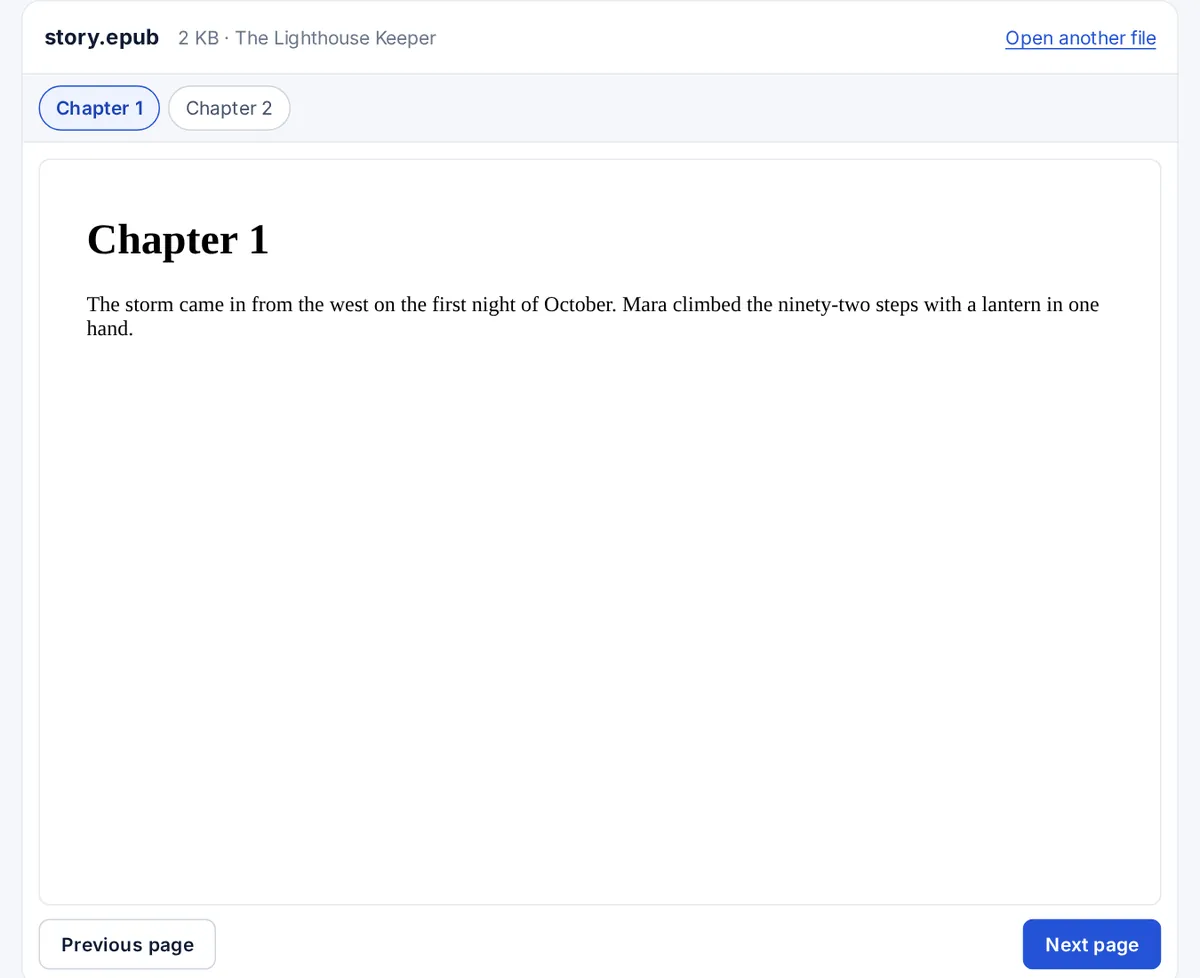
How the viewer reads it
The book is opened with the open-source epub.js library and shown one page at a time. Chapters from the book's own table of contents appear as tabs. Any scripts inside the book are switched off, so an ebook cannot run code on this page. The viewer does not remember where you stopped, so for a whole novel a reading app is more comfortable.
Books that will not open
Most ebooks bought from a store are protected with DRM, which locks them to that store's app. Those files cannot be read here or in any other viewer. Kindle books use Amazon's own formats, not EPUB. Free and DRM-free books, such as those from public-domain libraries, independent authors and many technical publishers, open normally.
Other ways to read EPUB files
- On a computer: Apple Books on a Mac, or the free Calibre app on Windows, Mac and Linux, which also converts EPUB to other formats.
- On a phone: Apple Books on iPhone, and many free reader apps on Android.
- On a Kindle: Amazon's Send to Kindle service accepts EPUB files and converts them for the device.
FAQ
EPUB viewer questions
How do I view EPUB files on a desktop computer?
Drop the file on this page to read it in the browser. For a reading app, use Apple Books on a Mac or Calibre on Windows, Mac and Linux.
Can I open an EPUB file as a PDF?
Not directly: an EPUB reflows to fit the screen, while a PDF has fixed pages. Calibre can convert an EPUB to PDF. This viewer reads the EPUB as it is.
What is the best free ebook reader for a PC?
Calibre is free and widely used on Windows. For a single book, a browser viewer like this one needs no install.
Why won't my EPUB open?
It is probably protected with DRM by the store it came from, or the download is incomplete. Protected books can only be read in the store's own app.
Does the viewer save my reading position?
No. Nothing about the book is stored, so it starts at the beginning each time.
More viewers