Free
$0
Every feature, on 3 links.
- No sign-up, just a one-time email code
- 3 links, each with a QR code
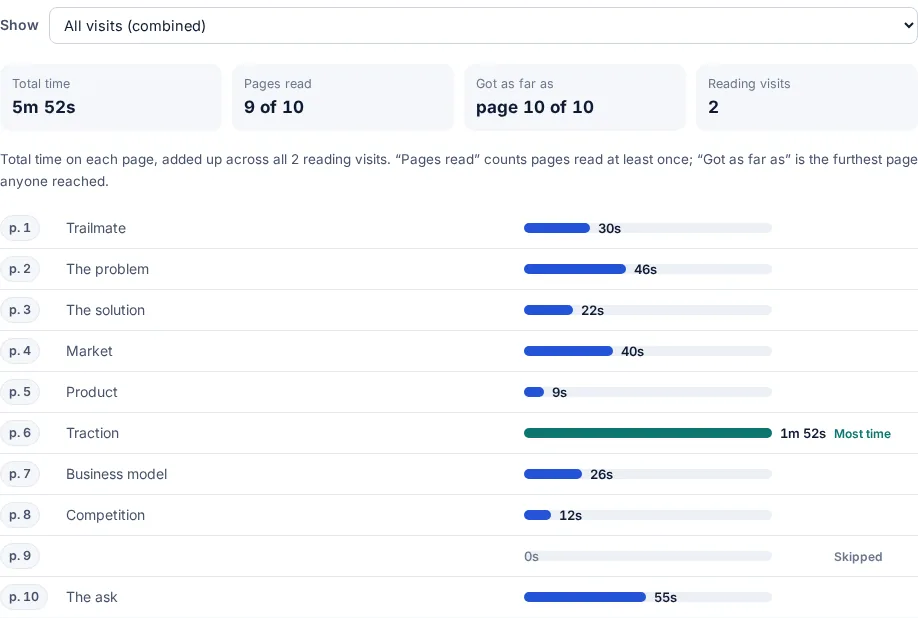
- Who opened it and time on each page
- An email on every open
- Email check, watermark, password and expiry
- Deleting a link does not free a slot
Pricing
The free plan has every feature on 3 links, with no time limit. Pro gives unlimited links, 50 GB, your own domain and no badge for $12 a month, or $99 a year. Team gives Pro to 3 people for $29 a month.
Prices are in US dollars. Sales tax may apply.
$0
Every feature, on 3 links.
$12 a month or $99 a year
For when 3 links are not enough.
$29 a month for 3 people$9 a month for each extra person, up to 10
For a team that sends files to clients and wants one place to see them.
Pro and Team are in free early access right now: choosing either takes no card and charges nothing. If paid plans start, you will be asked first, and nothing renews automatically.
| Feature | Free | Pro | Team |
|---|---|---|---|
| Price | $0 | $12 a month, or $99 a year | $29 a month for 3 people, $9 for each extra person |
| People | 1 | 1 | 3 to 10 |
| Links | 3, ever created (deleting one does not free a slot) | Unlimited | Unlimited |
| Largest file | 95 MB | 95 MB | 95 MB |
| QR code for every link | Yes | Yes | Yes |
| Choose the link's name, for its address | Yes | Yes | Yes |
| Opens, downloads, countries and total reading time | Yes | Yes | Yes |
| Every visit listed, with when, where and which site sent them | Yes | Yes | Yes |
| Time on each page or slide, visit by visit | Yes | Yes | Yes |
| Who each reader was, once they gave their email | Yes | Yes | Yes |
| Device and browser of each visit | Yes | Yes | Yes |
| Page names from headings, and tags such as Price or Terms | Yes | Yes | Yes |
| Personal links: add ?to=their@email.com from your mail merge | Yes | Yes | Yes |
| Download every visit as a CSV | Yes | Yes | Yes |
| Email on every open, or one daily summary | Yes | Yes | Yes |
| A Slack message when someone new opens a link | Yes | Yes | Yes |
| Email when a reader spends 30 seconds on a Price or Terms page | Yes | Yes | Yes |
| Password on a link | Yes | Yes | Yes |
| Expiry date: 1, 7 or 30 days | Yes | Yes | Yes |
| View-only, with downloads turned off | Yes | Yes | Yes |
| Turn a link off and on again without deleting it | Yes | Yes | Yes |
| Ask for an email before the file opens | Yes | Yes | Yes |
| Confirm the reader's email with a one-time code | Yes | Yes | Yes |
| Also ask for a name, company or phone number | Yes | Yes | Yes |
| Watermark with the reader's email and the date on every page of a PDF | Yes | Yes | Yes |
| Consent box the reader must tick first, in your words | Yes | Yes | Yes |
| One link per person from a list, with a CSV for your mail merge | No | Yes | Yes |
| Up to 400 files in one link: list, thumbnails or slideshow | Yes | Yes | Yes |
| One password, email check and expiry for a whole set of files | Yes | Yes | Yes |
| Add files or replace a file, same link and stats | Yes | Yes | Yes |
| Opens and reading time for each file in a set, and which files each visitor opened | Yes | Yes | Yes |
| Only listed people: named emails or a whole company domain | Yes | Yes | Yes |
| An "Updated" note for returning readers after you replace a file | Yes | Yes | Yes |
| Your own domain on your links | No | Yes | Yes |
| Your logo, colour, heading and button text on the email page | Yes | Yes | Yes |
| A call, email, WhatsApp or booking button on the page | Yes | Yes | Yes |
| A contact form and reader comments on the page | Yes | Yes | Yes |
| FileSeen badge on your links | Shown | None | None |
| One list of the team's links, with who made each | No | No | Yes |
| Open emails to the sender, the whole team or one teammate | No | No | Yes |
| Owners and admins change a teammate's link access, with a record of who changed it | No | No | Yes |
| The team's name and logo on its links | No | No | Yes |
| A webhook to your own system on every open | No | No | Yes |
| Links stay with the team when someone leaves | No | No | Yes |
The people you send a file to never pay and never need an account: the link opens in any browser, on a phone or a computer.
Comparing tools? The side-by-side comparison with a leading data-room tool sets out its prices next to these, checked on 18 October 2026.
FAQ
Yes. The free plan has every feature on 3 links, with no time limit: who opened it, time on each page, alerts, the email check, the watermark, a password, expiry and view-only. Files up to 95 MB. Deleting a link does not free a slot.
Pro is $12 a month, or $99 a year, which saves 31%. Team is $29 a month for 3 people, you included, and $9 a month for each extra person, up to 10. Paying yearly for Team saves 20%.
No. Pro and Team are in free early access: no card is taken and nothing is charged. If paid plans start, you will be asked first, and nothing renews automatically.
Your 3 links keep working, with every feature. To make a fourth, go Pro for unlimited links. The 3 are links ever created, so deleting one does not free a slot. You can replace the file on a link to reuse it.
Yes, at any time from your account. Your links keep working.
No. They open the link in any browser, with nothing to install and no account.
More from FileSeen