Newsletter QR code
Newsletter QR code: from the notice board to the full edition
Print a one-page summary for the mailbox or notice board, and add a QR code that opens the full newsletter with minutes, photos and the calendar.
Swap the file anytime. The printed QR code keeps working.
Uploading. Keep this page open.
Where should the code go?
File uploaded. Enter your email to get your link.
Enter the code
Sent to . It expires in 10 minutes.
Your link is ready
Free: every feature on 3 links, including who opened it and time on each page.
Opening it from here does not count as an open.
See when it is seenYour private stats page. Keep it to yourself: anyone with it can see the stats.Both links are in your email too. Upgrade to Pro.
How to add a QR code to a newsletter
Short printout, full issue online
The printed page carries the headlines; the scan carries the rest.
-
Step 1
Upload the full edition
The complete newsletter PDF: minutes, budget, event calendar, photos.
-
Step 2
Add the code to the printout
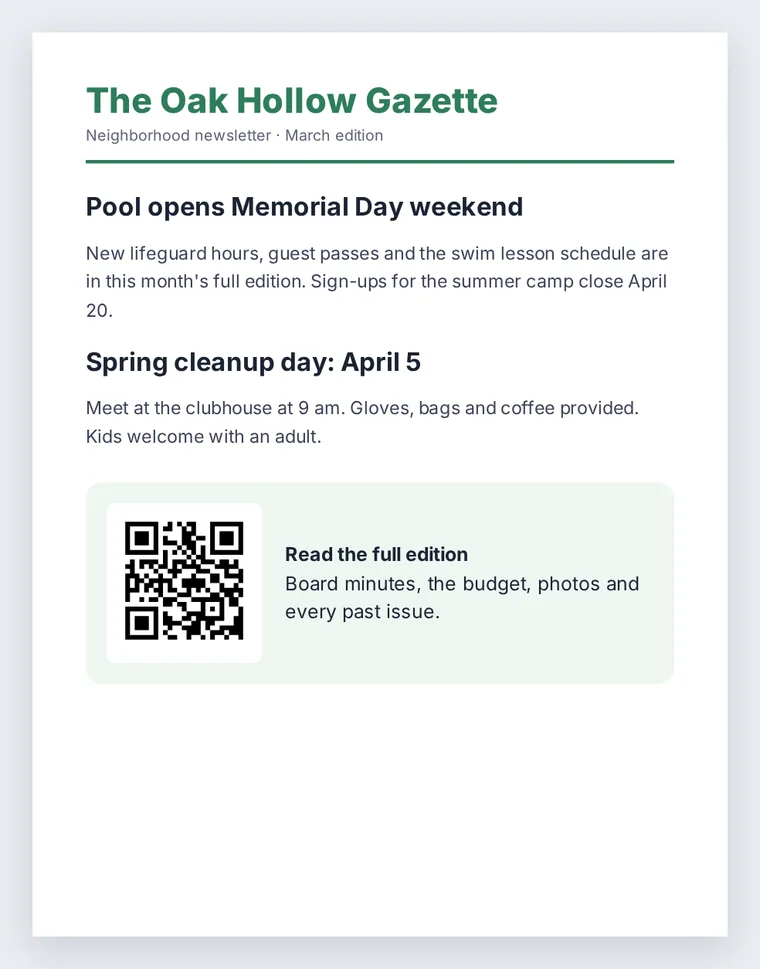
A one-page summary for mailboxes, the lobby or the notice board, with the code in a clear box.
-
Step 3
See when people read it
The stats page shows opens by day, so you learn whether the issue was read the week it went out.
Who prints newsletters with a QR code
- Homeowner associations: a mailbox flyer with the headlines, the full minutes and budget behind the code.
- Schools and parent groups: a note in the backpack that opens the full calendar and forms.
- Churches and clubs: a bulletin board notice for members who do not read email.
- Offices and shops: a staff notice in the break room that opens the full update.
Keep an archive of past issues
Each issue can be its own link. Pro keeps every issue live with no link limit, so an "all past issues" page can list them for good. The free plan has 3 links, so on free, replace one issue's file to reuse its link and code.
A QR code inside an email newsletter
A link is short enough that the code stays small and simple: QR code capacity grows with the amount of data, and a short address needs only one of the smallest versions. If the newsletter goes out by email as well, put the plain link next to the code. Someone reading on their phone cannot point that same phone's camera at the screen, and most will simply tap the link. The code is for the printed copy on the fridge.
FAQ
Newsletter QR code questions
How do I make a QR code for a newsletter?
Upload the full newsletter at the top of this page, confirm your email with the 6-digit code, and save the QR code image. Add it to the printed summary in a box with a line such as "Read the full edition".
How do I make a QR code for an event in the newsletter?
Upload the event flyer or details as their own file to get a separate code. Then the event has its own open count, apart from the newsletter.
How do I scan a QR code that is in an email?
On the same phone the camera cannot see the code, so tap the link printed next to it instead. Many phones can also read a code from a screenshot in the photo app.
Is there a QR code on every page?
One code is usually enough, on the first page or the back. Add a second only if a page has its own separate download, such as a form.
Will I know if anyone read it?
Yes. You get an email every time the link is opened, and the stats page shows every open by day and by country, plus the total reading time.
More QR codes