CSV viewer
CSV viewer: see a CSV file as a clean table
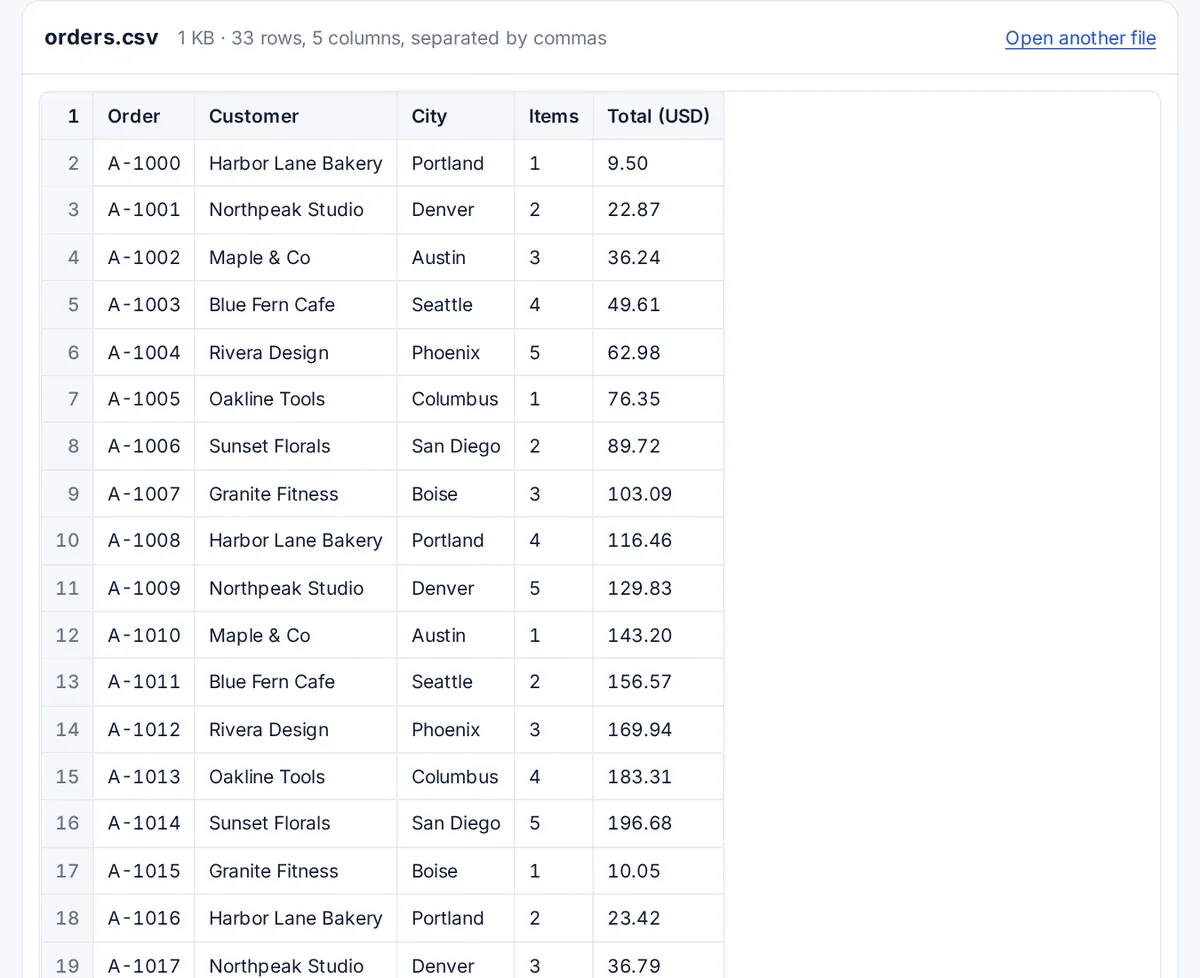
A CSV opened in a text editor is a wall of commas. Drop it here instead: the CSV viewer splits it into columns, keeps the header row on top as you scroll, and runs entirely in your browser.
Sending it to someone? Share it as a tracked link.
How to view a CSV file
Read a CSV in three steps
Comma, semicolon, tab or pipe separated: the viewer works it out.
-
Step 1
Choose the CSV
An export from a bank, a shop, a CRM or a database.
-
Step 2
Read it as a table
The first row stays pinned as a header, and every row is numbered.
-
Step 3
Spot the problem
Odd columns, stray quotes and missing values are easy to see in a grid.
What a CSV file is
CSV means comma-separated values: plain text where each line is a row and commas split the columns. A value that contains a comma is wrapped in double quotes. The closest thing to a rule book is RFC 4180, and the Library of Congress keeps a format description. In practice CSV files vary: many programs in Europe use semicolons because the comma is the decimal mark there, and database exports often use tabs.
Why open a CSV here instead of in Excel
Excel guesses what each value is, and the guesses change the data: ZIP codes and phone numbers lose their leading zeros, long ID numbers turn into 1.23E+15, and anything that looks like a date becomes one. This viewer shows every value exactly as it is written in the file, which makes it the quickest way to check an export before importing it somewhere. Parsing is done by the open-source Papa Parse library.
Limits
Files up to 200 MB open, and the first 2,000 rows are shown. A multi-gigabyte CSV is too big for any browser tab: on a Mac or Linux, the command head -n 1000 big.csv gives you the first thousand lines, and database tools such as SQLite can import the whole file. The viewer reads UTF-8 text; a file saved in an older encoding can show odd characters in names with accents.
The disadvantages of CSV
- No data types: a number, a date and a word all look the same, so each program guesses.
- One table only: no sheets, no formatting, no formulas.
- No single standard: separators, quoting and encodings differ between programs.
Those are also its strengths: almost every program can read and write it, and it stays readable for decades.
FAQ
CSV viewer questions
How do I view a CSV file?
Drop it on the box at the top of this page and it opens as a table. A spreadsheet program also opens CSV files, but may change values such as leading zeros.
How do I convert a CSV file to a readable file?
To read it, a table view like this one is enough. To keep it as a spreadsheet, open it in Excel, Google Sheets or LibreOffice Calc and save it as .xlsx.
Is a CSV file like Excel?
A CSV holds one table of values as plain text. An Excel file holds several sheets with formatting, formulas and charts. Excel can open a CSV, but a CSV cannot store anything Excel adds.
What programs can open a CSV file?
Any text editor, every spreadsheet program, databases, and browser viewers such as this one.
How do I open a very large CSV file?
This viewer opens files up to 200 MB and shows the first 2,000 rows. For files of several gigabytes, use a command-line tool or import the file into a database.
Does the viewer change my data?
No. Values are shown exactly as written, including leading zeros and long numbers, and the file is not modified or uploaded.
More viewers