Document viewer
Document viewer: open any file in your browser
Someone sent a file your computer will not open? Drop it here. This document viewer reads it on your device and shows it on the page, with no app to install and no upload.
Sending it to someone? Share it as a tracked link.
One viewer per format
Pick the viewer for your file type
The box above opens all of them. Each page below explains its own format: what made the file, what the viewer shows, and what it cannot show.
What this document viewer opens
| File | Made by | What you see here |
|---|---|---|
| .docx | Microsoft Word 2007 and later, Google Docs, Pages | The document with its headings, lists, tables and images, page by page. DOCX viewer |
| .xlsx, .xls, .ods | Excel, LibreOffice Calc, Numbers | Every sheet as a table, with a tab for each sheet. XLSX viewer |
| .csv, .tsv | Exports from banks, shops, CRMs and databases | A table with a header row and row numbers. CSV viewer |
| .pptx | PowerPoint 2007 and later, Google Slides, Keynote exports | Each slide drawn in order. PPTX viewer |
| .epub | Ebook stores, publishers, Calibre | A page-turning reader with the chapter list. EPUB viewer |
| .heic, .heif | iPhone and iPad cameras | The photo, and a button to save it as JPG. HEIC viewer |
| .tif, .tiff | Scanners, fax software, print workflows | Every page of the image. TIFF viewer |
| .psd | Adobe Photoshop | The flattened image and the layer names. PSD viewer |
| .ai | Adobe Illustrator | Each artboard, when the file was saved PDF compatible. AI file viewer |
| Almost everything | Up to 30 pages, drawn at screen size. | |
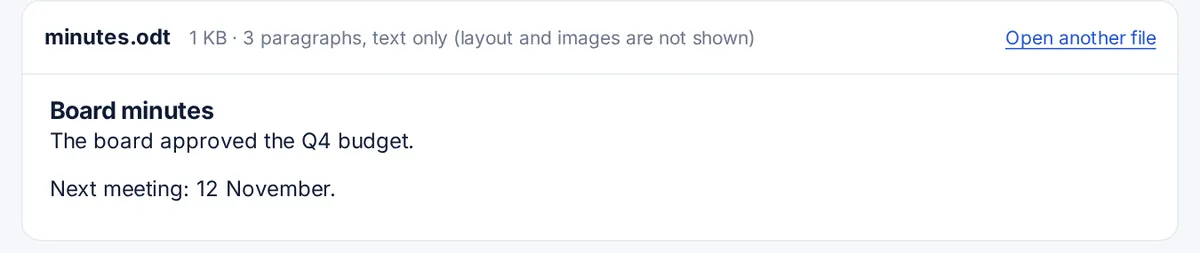
| .odt | LibreOffice Writer, OpenOffice | The text, as plain paragraphs. Layout and images are not shown. |
| .rtf | WordPad, TextEdit, older word processors | The text only. Bold, colours and fonts are not shown. |
| .txt, .md, .json, .log | Any editor | The text as it is, in a fixed-width font. |
| .webp, .png, .jpg, .gif, .avif | Cameras, phones, the web | The image at full size. |
Why a viewer that runs in the browser
Most online file viewers upload the file to a server, convert it there and send back pictures of the pages. That means a copy of your document sits on someone else's computer, at least for a while. This viewer does the opposite: the page loads open-source code that understands each format, such as SheetJS for spreadsheets and pdf.js for PDF and Illustrator files, and that code reads the file on your device. You can check it yourself: open the developer tools, watch the Network tab, and open a file. No request carries it anywhere.
The trade-off is honest: a browser is not Word, Excel or Photoshop. The viewers show the content, the structure and most of the formatting, but complex layouts, macros, animations and fonts that are not on your device can look different. When the exact look matters, open the file in the program that made it.
Old formats that do not open here
- .doc and .ppt (Office 97 to 2003) use an old binary format. Open them in Word, PowerPoint or a free office suite such as LibreOffice and save them as .docx or .pptx.
- .ai files saved without PDF compatibility can only be read by Illustrator.
- Ebooks with DRM, such as most store-bought Kindle and Adobe-protected books, are locked to their reading app.
Viewing a file is often the first step to sending it
If you are checking a file before forwarding it, think about how it will arrive. An attachment is a copy you cannot take back, and you never learn whether it was opened. A FileSeen link opens in any browser for the person you send it to, can have a password or an end date, and tells you when it is opened. A PDF or Word file works best: see PDF to link.
FAQ
Document viewer questions
Is this document viewer free?
Yes. There is no sign-up, no limit on the number of files and no watermark. Files up to 200 MB open here.
Is my file uploaded anywhere?
No. The file is read by this page on your device. The viewer code comes from FileSeen's own site, and no request carries your file. Closing the tab clears it.
Which file types can it open?
Word (.docx), Excel (.xlsx, .xls), OpenDocument (.ods, .odt), CSV, PowerPoint (.pptx), EPUB, HEIC, TIFF, Photoshop (.psd), Illustrator (.ai), PDF, RTF, plain text and common image types. The table on this page lists what each one shows.
Does it work on a phone?
Yes, in any current browser on Android or iPhone. Large spreadsheets and long documents scroll inside the viewer, and big images are sized to fit the screen.
Can I edit the file here?
No. This is a viewer: it shows the file exactly as it is and does not change it. Some image viewers can save a copy as PNG or JPG.
Why does my document look slightly different?
Fonts, page breaks and complex layouts depend on the program that made the file. The viewer shows the content faithfully but cannot use fonts your device does not have.
More from FileSeen