Guide
How to send secure email
What normal email already protects, what it does not, how to encrypt a message in Gmail and Outlook, and the safest way to send a file that should not go astray.
In short
- Most email is encrypted in transit (TLS), but the providers can read it and every inbox keeps a copy.
- End-to-end encryption (S/MIME or PGP) works only when both sides have set it up.
- Gmail confidential mode adds an expiry and blocks the forward and print buttons; Outlook encryption needs a qualifying Microsoft 365 plan.
- To send a secure file, protect it with a password, or send a link you can expire and delete.
First: what "secure" means for email
Email can be protected at three points; most confusion comes from mixing them up.
In transit
While it travels between providers. This is what TLS does.
At rest
While it sits on servers and in both inboxes.
End to end
Only the recipient can read it, not the providers.
And one more
Encryption does not answer a fourth question: what happens after the right person has it. Can they forward it? Does the attachment stay forever?
TLS: on by default, and not enough on its own
Most email travels with TLS, the encryption that also protects websites.
Gmail says all its mail uses TLS, and shows a red open padlock when the other provider does not.
What TLS stops
- Someone on the network reading it as it passes.
What TLS does not stop
- The email providers at either end reading it.
- Anyone reading the copies in the inboxes.
- A forwarded message being read.
Fine for everyday mail. For contracts, medical or financial details, it is a floor, not a ceiling.
End-to-end encryption: S/MIME and PGP
It locks the message so only the recipient's key can open it.
S/MIME
Certificates, usually issued by an organisation. Built into Outlook, Apple Mail and work or school Gmail.
Both sides need one: common inside companies, rare between strangers.
PGP
Keys people create and share themselves, through add-ons in many email apps.
Both sides must set it up, and it is easy to get wrong.
What neither does
Both protect the content. Neither hides the subject line in every setup, or stops the recipient forwarding the decrypted text.
How to send secure email in Gmail
Confidential mode (any Gmail account)
Turn it on
In a new message, click the lock-and-clock icon (Turn confidential mode on).
Set the rules
Pick an expiry date, and whether an SMS passcode is needed.
Send
Save, then send.
What it does
- No buttons to forward, copy, print or download.
- You can revoke access early.
- With SMS on, they need a code from their phone.
What it does not do
- Stop screenshots or photos (Google's own help page says so).
- Encrypt end to end. It is a deterrent and an expiry, not a vault.
S/MIME (work and school accounts)
Gmail calls it enhanced encryption: work and school accounts get it when the admin turns it on, and personal accounts do not. With certificates on both sides, the compose lock icon shows S/MIME is used.
How to send secure email in Outlook
Microsoft says encryption in Outlook needs a qualifying Microsoft 365 subscription. With one:
Open Encrypt
In a new message, choose Options, then Encrypt.
Pick the level
Encrypt, or Do Not Forward, which also blocks forwarding, printing and copying.
Send
Write and send as normal.
This is Microsoft Purview Message Encryption: read in the Outlook apps, or through a link on other email services.
S/MIME sits in the same Encrypt menu once a certificate is installed; the recipient needs one too.
Attachments: where most leaks actually happen
The attachment is usually the sensitive part, and it has problems of its own:
- Every recipient keeps a full copy, in inboxes and backups, for good.
- Forwarding takes one click, and you never find out.
- A wrong address, often from autocomplete, cannot be undone.
Two ways to reduce the risk
Protect the file itself
Password-protect a PDF or use an encrypted zip, and send the password by text.
It stays protected if forwarded, but once they have the password, it is open for good.
Send a link instead of an attachment
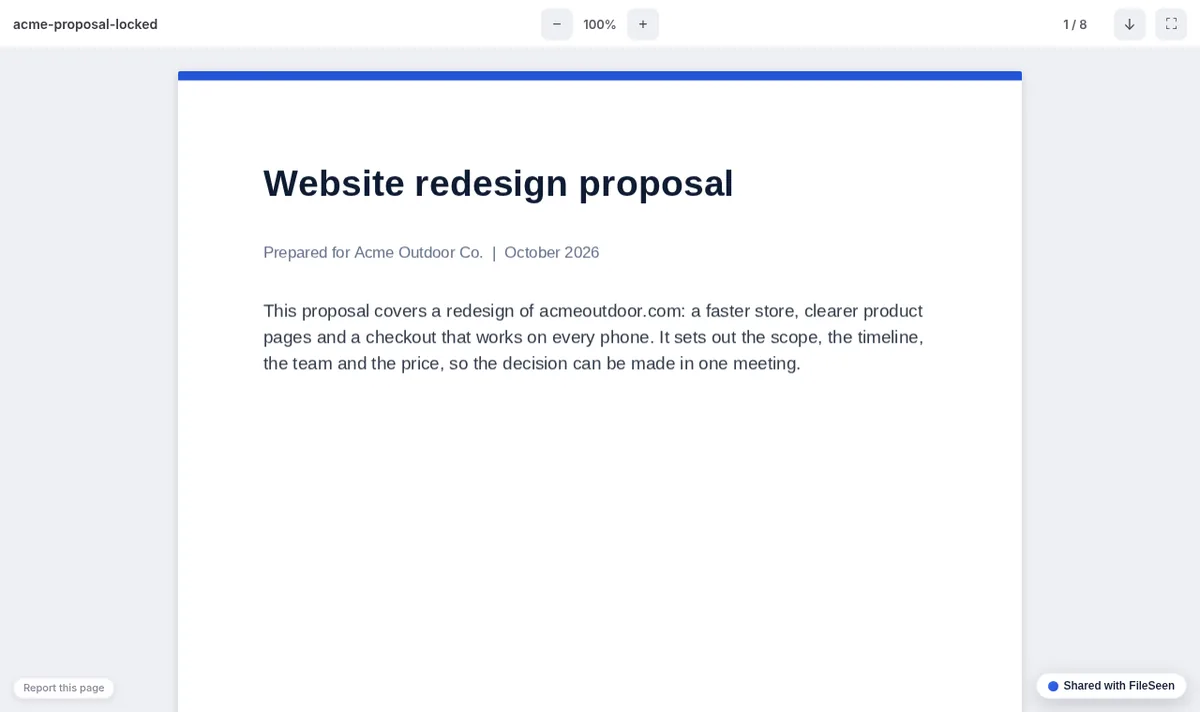
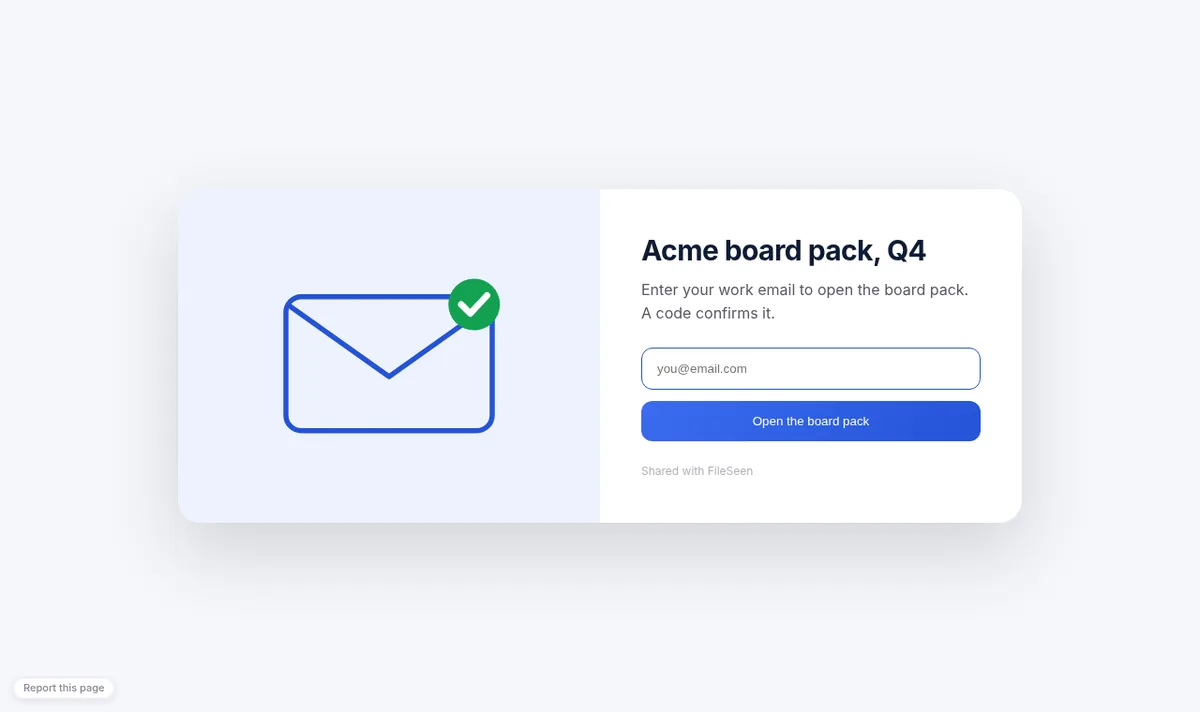
A FileSeen link keeps the file where you control it:
- a password, sent separately;
- an expiry after a day, a week or a month;
- view-only, with no download button;
- delete it to stop it for everyone, forwards included;
- an email when it is opened;
- readers can confirm their email with a code first.
Honest limits
A link is not end-to-end encryption: the file is encrypted at rest and sent over HTTPS, but the host can technically access it, as with any cloud storage. View-only does not stop screenshots.
For material that must never touch a third party's servers, use end-to-end encrypted email or a password-protected file, and share the password in person.
A short checklist before you press send
- 1Is the recipient's address right? Check autocomplete.
- 2Does the email need the sensitive part, or can it point to it?
- 3Is the attachment protected, or a link you can take back?
- 4Is the password going by a different channel?
- 5Must it exist after next month? If not, set an expiry.
More ways to share a file privately: secure file sharing.
Send the file as a link you control
Password, expiry and view-only on one link, plus an email when it is opened.
FAQ
Secure email questions
Is Gmail email encrypted?
In transit, yes: Gmail uses TLS whenever the other provider supports it. It is not end-to-end encrypted unless your work or school account uses S/MIME.
Is Gmail confidential mode encrypted?
It is not end-to-end encryption. It blocks forwarding, copying, printing and downloading through Gmail's buttons and can expire a message, but recipients can still take screenshots.
How do I send secure email from Yahoo Mail?
Yahoo Mail protects messages in transit with TLS but has no built-in end-to-end encryption. For anything private, protect the attachment with a password and send the password another way, or send the file as a link you can expire.
What is the most secure way to send a file by email?
Protect the file with a password and send the password separately, or send a link you can expire and delete instead of an attachment.
More from FileSeen