PUB to PDF
Convert a Publisher (.pub) file to PDF
Publisher is retired, so .pub files no longer open in Microsoft 365. Turn one into a PDF that opens anywhere.
How it works
How to convert a PUB file to PDF
Any computer or phone.
-
Step 1
Choose the .pub file
Converting starts at once.
-
Step 2
Wait a few seconds
Converted, then deleted.
-
Step 3
Download the PDF
Opens and prints the same everywhere.
What you get
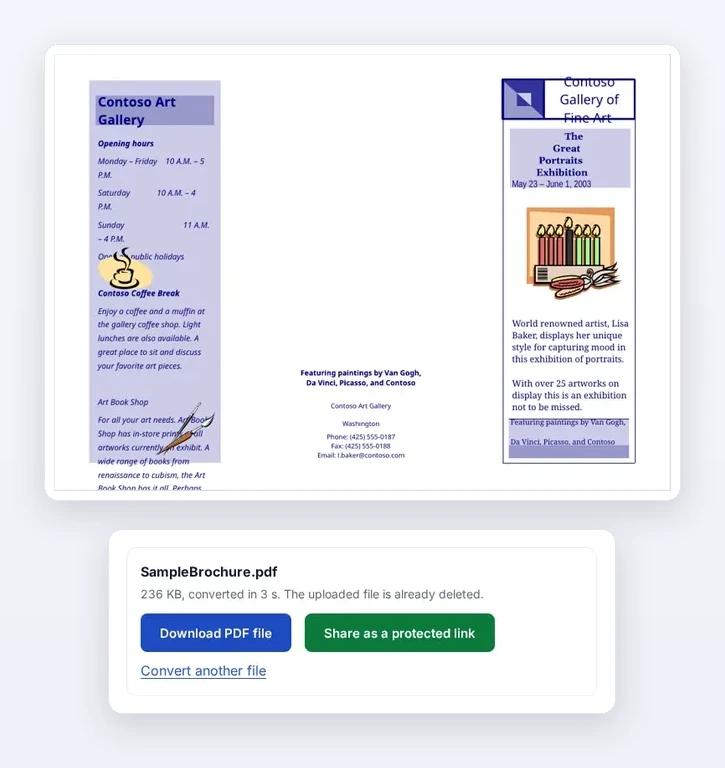
A two-page brochure, converted in 3 seconds.
Every page
Flyers, newsletters, brochures and cards.
Real text
Stays searchable and copyable.
Same page size
Letter, A4 or custom.
Limits
- Text in linked text boxes can shift. Check each page.
- Missing fonts are swapped for close matches.
Why .pub files stopped opening
“Microsoft 365 subscribers will not be able to access Publisher on or shortly after October 1, 2026.” Support for Publisher 2021 ended on 13 October 2026.
Source: Microsoft Support, checked 30 Oct 2026.
Publisher still installed?
Use File, Save As, PDF while it works.
Publisher gone?
Choose the .pub file above.
Need to edit again?
Rebuild it in Word or PowerPoint, using the PDF as a guide.
Where your file goes
- Browsers cannot read .pub, so this file is uploaded.
- Converted on FileSeen’s own server with LibreOffice, offline.
- Both copies are deleted within seconds.
FAQ
PUB to PDF questions
How do I convert a PUB file to PDF?
Choose it above. The PDF is ready in a few seconds.
How do I open a .pub file without Publisher?
Convert it to PDF here. The PDF opens in any browser, with nothing to install.
Why can't I open my Publisher files any more?
Microsoft removed Publisher from Microsoft 365 from 1 October 2026 (Microsoft Support).
Is my file kept?
No. Both copies are deleted right after converting. Up to 50 MB per file.
Related tools