FileSeen for Gmail
Gmail email tracker that shows when your file is opened
Add a file to an email as a FileSeen link, right from Gmail's compose window. You get an email when it is opened, and see which pages were read and for how long.
Until then it works the same way by hand: upload a file below and paste the link into Gmail.
Uploading. Keep this page open.
Where should the code go?
File uploaded. Enter your email to get your link.
Enter the code
Sent to . It expires in 10 minutes.
Your link is ready
Free: every feature on 3 links, including who opened it and time on each page.
Opening it from here does not count as an open.
See when it is seenYour private stats page. Keep it to yourself: anyone with it can see the stats.Both links are in your email too. Upgrade to Pro.
FileSeen for Gmail adds a FileSeen link button next to Send. Pick a file, and a link goes into the email instead of an attachment, so you know when the file was opened, not just the email.
How it works
How to track an email attachment in Gmail
Three steps, inside the email you are writing.
-
Step 1
Click FileSeen link
The button sits next to Send in every compose window.
-
Step 2
Pick a file
A small window opens. PDF, PowerPoint, Word or Excel, up to 95 MB.
-
Step 3
Send and see it opened
The link lands in your email. You get an email on every open, with the time on each page.
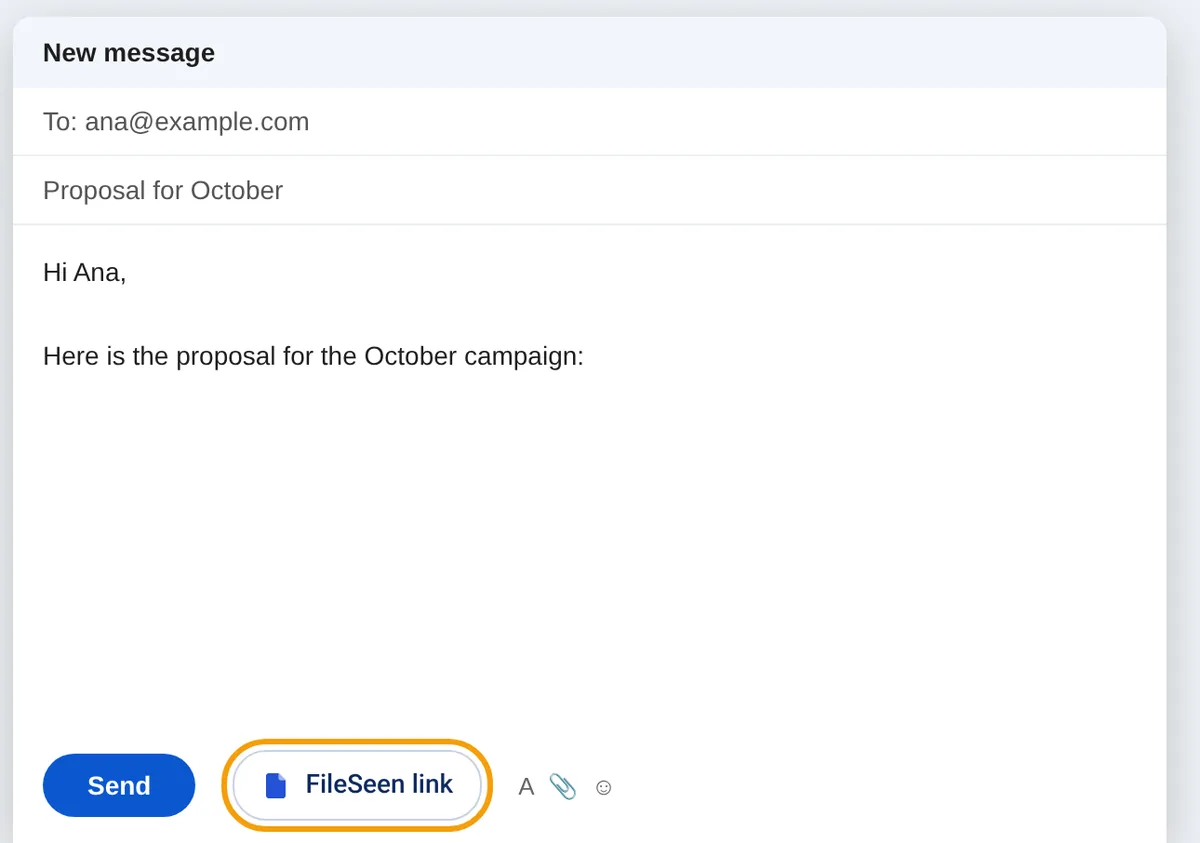
One button in the compose window
The extension adds a single button to Gmail's compose window. Click it while you write, pick the file, and the link is put where your cursor was, named after the file. The reader clicks it and the file opens in the browser, on any phone or computer, with no account.
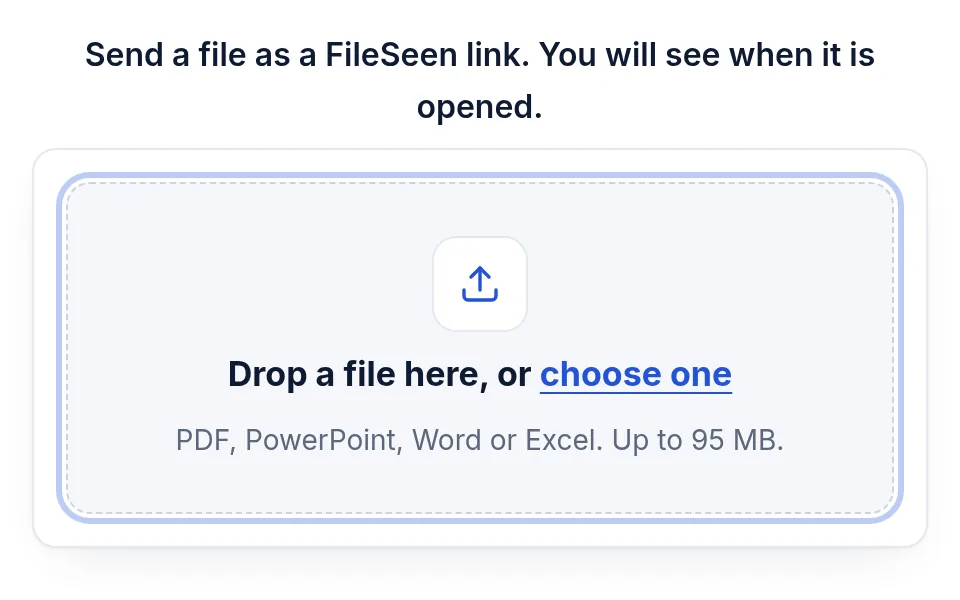
No attachment size limit to worry about
Gmail attachments stop at 25 MB. A FileSeen link carries files up to 95 MB, so a large deck or report goes in the same email. The first time, FileSeen sends a 6-digit code to your email address to confirm it is yours.
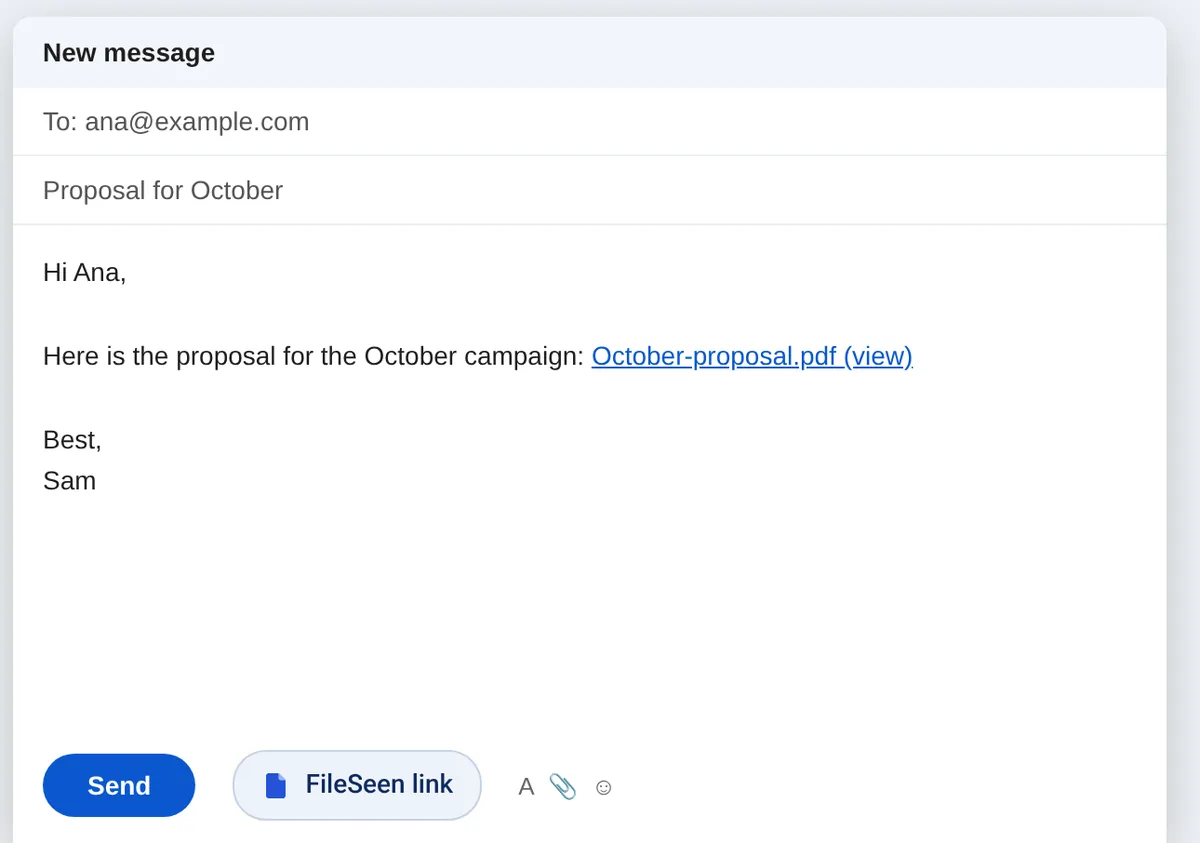
What you see after you send
- An email on every open of the file, with the country.
- Pages read and the time on each, on the link's stats page.
- Who opened it, when you ask the reader to confirm an email first.
- Email opened (approximate), from the small image added with the link.
Every link also takes a password, an expiry date, view-only and an email watermark. See every feature.
Email open tracking or file open tracking
Most Gmail trackers add a tiny image to the email. When it loads, you get an “opened”. That is a hint, not proof. Apple says Mail Privacy Protection on iPhone “prevents senders from seeing if you’ve opened the email message”, and that it “does not extend to links or email attachments such as PDF or other files.” A link to the file only counts when the file itself is opened.
| Email open tracker | FileSeen link | |
|---|---|---|
| Tells you | The email was probably opened | The file was opened |
| How it knows | A hidden image loads | A person clicks the link and the file opens |
| On iPhone Mail | Opens can be hidden by Mail Privacy Protection | The file open still shows |
| Pages read and time | No | Yes, page by page |
| File size | Gmail attachments stop at 25 MB | Up to 95 MB as a link |
| After you send | Fixed attachment | Replace the file or switch the link off |
FileSeen adds the same kind of image too, shown as “Email opened (approximate)”, so you see both. Sources: Apple Support, Mail Privacy Protection and Gmail Help, attachment size, checked 26 Oct 2026.
The extension does not read your email
- It runs on mail.google.com only to add the button. It does not read, store or send your messages or contacts.
- It does not use the Gmail API and asks for no access to your Google account.
- The only thing it writes into an email is the link you just made, plus its small image.
- Its toolbar icon can add a link on other sites too, such as Outlook on the web, only when you click it.
FAQ
Gmail tracker questions
How do I know if someone opened my email attachment in Gmail?
Gmail does not tell you (see why no email app does). Send the file as a FileSeen link instead of an attachment and you get an email when it is opened, with the pages read and the time on each.
Is there a Gmail extension to see if an email was opened?
Yes. FileSeen for Gmail shows when the email was probably opened, from a small image, and when the file in it was opened, from the link. The file open is the reliable one.
Does the reader need the extension or an account?
No. The link opens in any browser, on a phone or a computer.
Does it work on a phone?
The extension is for Chrome on a computer. On a phone, upload the file at fileseen.com and paste the link into the Gmail app.
Can I track email opens in Gmail for free?
Yes. The free plan has every feature on 3 links, with no time limit and no card. Deleting a link does not free a slot.
Is it safe to install?
It runs on Gmail only to add the button, and on other sites only when you click its icon. It does not read your mailbox and never sends anything from it.
Does it work with Outlook?
In Outlook on the web, click the FileSeen icon in the Chrome toolbar while writing. The link is added at the cursor, or copied so you can paste it.
Who uses FileSeen