Guide
How to know if someone opened your email attachment
Gmail, Outlook and Apple Mail do not report when a file is opened. Here is what they do show, and the reliable way.
Uploading. Keep this page open.
Where should the code go?
File uploaded. Enter your email to get your link.
Enter the code
Sent to . It expires in 10 minutes.
Your link is ready
Free: every feature on 3 links, including who opened it and time on each page.
Opening it from here does not count as an open.
See when it is seenYour private stats page. Keep it to yourself: anyone with it can see the stats.Both links are in your email too. Upgrade to Pro.
The short answer
You cannot see when an attachment is opened. Once someone downloads a file from an email, nothing reports back: read receipts and tracking images are about the email, not the file in it.
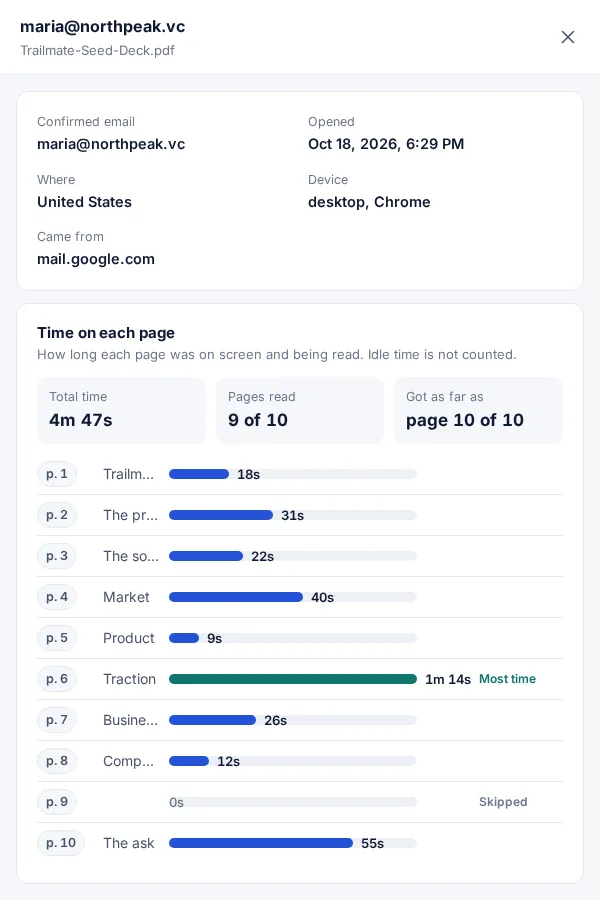
To know the file was opened, send it as a link instead of an attachment. The file opens in the browser, so each open is counted, with the pages read and the time on each.
What each method tells you
| Method | What it tells you | Shows the attachment was opened |
|---|---|---|
| Read receipt (Gmail work or school, Outlook) | The email was opened, if the reader agrees | No |
| Tracking image in the email | The email was probably opened | No |
| Attachment sent as a FileSeen link | The file was opened, pages read, time on each | Yes |
Gmail
Gmail has no setting for attachment opens. Its read receipts cover the message, and Google says they “are only available to work or school accounts. They don't work with personal Gmail (@gmail.com) accounts.” Even then, a receipt “doesn't always mean the recipient read your message.”
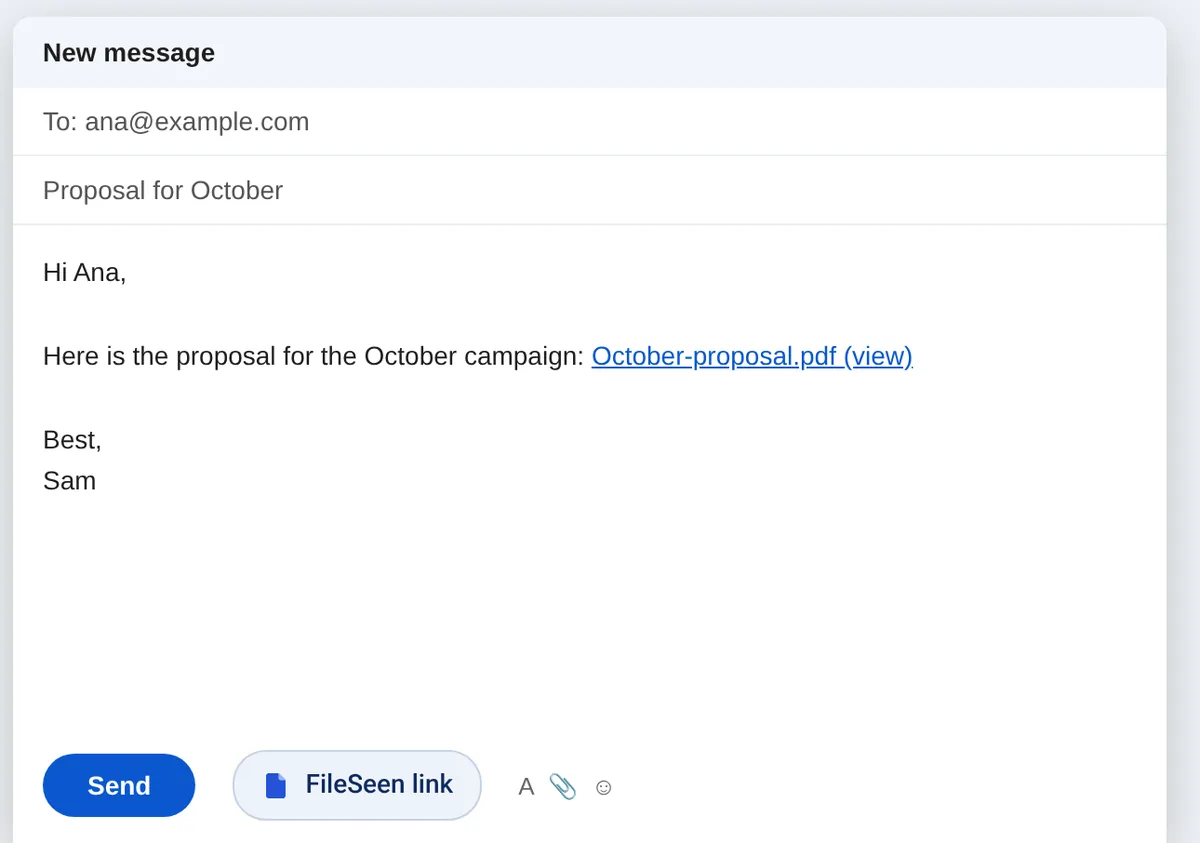
In Gmail on a computer, the FileSeen for Gmail button next to Send puts the file in as a link, so you see when it is opened.
Source: Gmail Help, Request or return a read receipt, checked 26 Oct 2026.
Outlook
Outlook read receipts are also about the message, and Microsoft says “There is no way to force a recipient to send a read receipt.” Nothing in Outlook reports when an attached file is opened.
Source: Microsoft Support, read receipts in Outlook, checked 26 Oct 2026.
iPhone and Apple Mail
Apple's Mail Privacy Protection “prevents senders from seeing if you’ve opened the email message they sent you.” So when the reader uses Apple Mail, email trackers are unreliable. Apple adds: “Mail Privacy Protection does not extend to links or email attachments such as PDF or other files.” A link to the file still shows when the file is opened.
Source: Apple Support, Use Mail Privacy Protection on iPhone, checked 26 Oct 2026.
Most reliable
Send the attachment as a link
It works in any email app: Gmail, Outlook, Apple Mail.
-
Step 1
Upload the file
PDF, PowerPoint, Word or Excel, up to 95 MB.
-
Step 2
Paste the link in your email
Where the attachment would go. The reader clicks it and the file opens.
-
Step 3
See it opened
An email on every open, and the time on each page on the stats page.
Tips
- Name the link after the file, such as october-proposal, so it looks like the attachment it replaces.
- One link per person when you send the same file to several people, to see who opened it.
- Turn downloads on if the reader needs to keep a copy. PDFs open view-only by default.
- Follow up after the open, not before: an open with a few minutes on the pricing page is a good moment.
FAQ
Questions about attachment opens
Can you tell if someone opened an email attachment?
Not when it is sent as an attachment: once the file is downloaded, nothing reports back. Send it as a link and you see each open.
Does a read receipt show the attachment was opened?
No. A read receipt is about the message, and the reader can decline to send it.
How do I track a PDF I sent by email?
Upload the PDF to FileSeen, paste the link into your email, and you get an email when it is opened, with the time on each page.
Does the reader need an account?
No. The link opens in any browser, on a phone or a computer.
Is it free?
Yes. The free plan has every feature on 3 links, with no time limit. Deleting a link does not free a slot.