For nonprofits
Send grant proposals and reports as links. Know when they are opened.
Grant proposals, impact reports, annual reports, board packets: send any of them as one link that opens on any phone. You get an email when the funder opens it.
- Send it as a linkNo big attachment. It opens on any phone.
- Know when it is openedAn email when the funder, donor or board member opens it.
- See what they readThe budget and outcomes, or only the summary.
Uploading. Keep this page open.
Where should the code go?
File uploaded. Enter your email to get your link.
Enter the code
Sent to . It expires in 10 minutes.
Your link is ready
Free: every feature on 3 links, including who opened it and time on each page.
Opening it from here does not count as an open.
See when it is seenYour private stats page. Keep it to yourself: anyone with it can see the stats.Both links are in your email too. Upgrade to Pro.
FileSeen lets nonprofits send any document as a link: grant proposals, impact reports, annual reports and board packets. You get an email when the funder, donor or board member opens it and see which pages they read.
Most of fundraising is waiting for a reply
A grant proposal or a donor report goes out, then weeks of silence. A link tells you what happened to it.
- Send it as a link that opens in any browser, with no download.
- Get an email when the program officer opens it.
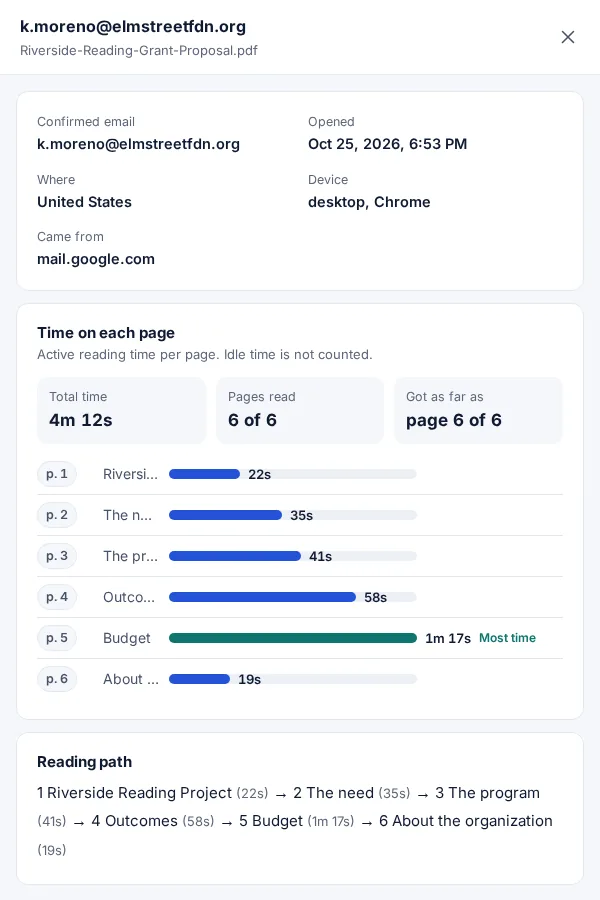
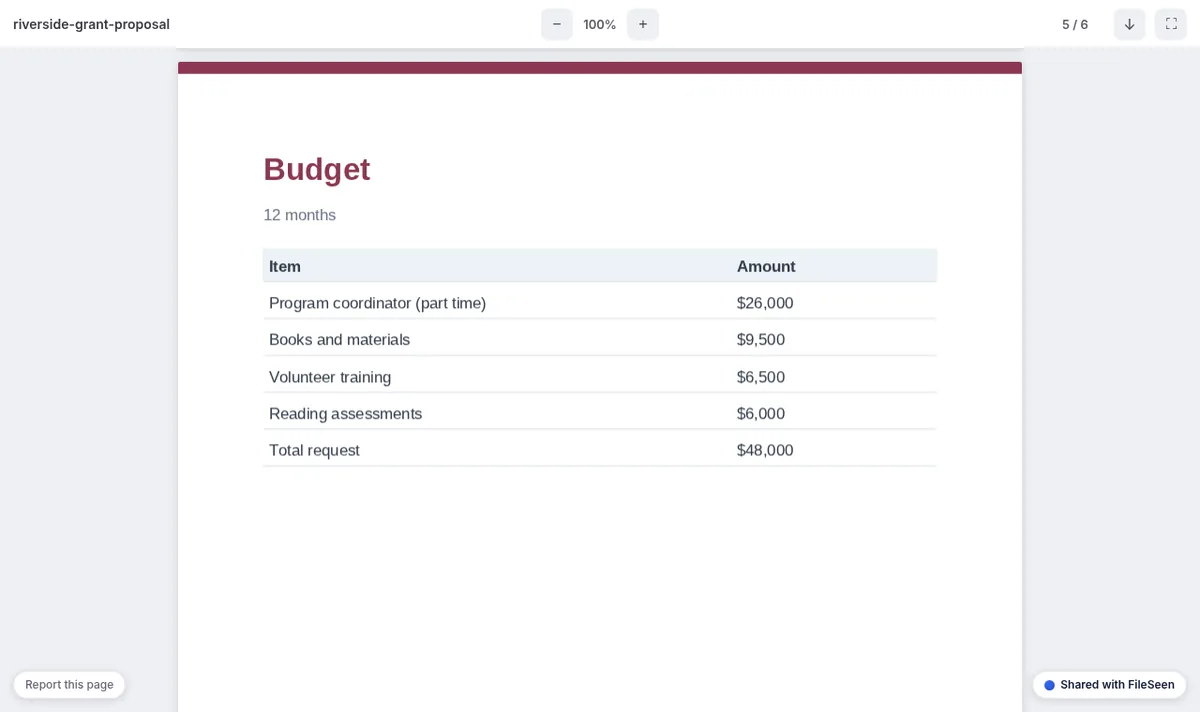
- See the time on each page: the budget and the outcomes, or only the summary.
- Follow up when it is being read, and know who has not opened it yet.
How nonprofits use FileSeen
From proposal sent to the right follow-up
The same steps work for an impact report, a donor report or a board packet.
-
Step 1
Upload the proposal
PDF, Word or PowerPoint. A large, image-heavy report is fine up to 95 MB (Free).
-
Step 2
Send the link
Paste it into your email to the funder. Turn on the email check to see the reader's name.
-
Step 3
Get the open alert
An email every time it is opened, or a daily summary, all free.
-
Step 4
Follow up on what they read
The time on each page shows whether the budget and outcomes were read.
Useful for grants, donors and the board
The free plan has every feature on 3 links. A data room counts as one link.
- A QR code for every link: print it in the annual report or on an event table so donors open the impact report on their phone. See donation QR codes.
- Many files in one link: the proposal, the audited accounts and the budget for a funder's due diligence. More on the data room page.
- Only listed people: the board packet opens only for board members' emails.
- Replace a file, same link: fix a figure in the report after it is sent; the link stays the same.
- Your logo and a button on the page: "Donate" under the impact report.
- Every open or a daily summary: one email a day when the report goes to a long donor list.
A link or an attachment for your proposal
| Email attachment | FileSeen link | |
|---|---|---|
| Know when it is opened | No | Yes, an email on every open |
| Time on each page | No | Yes, visit by visit |
| Change or stop it after sending | No: the copy is theirs | Replace the file, set an expiry or switch the link off |
| Large files | About 20 to 25 MB, set by the mail provider | Up to 95 MB |
| Opens on a phone | Depends on the reader's apps | Yes, in the browser, with no app |
When FileSeen fits, and when it does not
A good fit
- Nonprofits sending grant proposals and reports by email to funders.
- Impact and annual reports shared with donors, online or from a printed QR code.
- Board packets that only board members should open.
Not the right tool
- Grant portals that require their own upload: submit there as asked.
- Grant tracking or a donor database: FileSeen shares documents, it does not manage grants.
- Detecting forwarding: FileSeen shows each open, not a forward.
FAQ
Questions from nonprofits
How do I know if a funder read my grant proposal?
Send the proposal as a FileSeen link instead of an attachment. You get an email when it is opened, and the stats page shows the reading time and the time on each page.
Can I send a grant proposal as a link?
Yes, when the funder accepts proposals by email. If a funder asks for an upload to its own portal, follow its instructions there.
How do I share an impact report with donors?
Upload the report, then send the link by email or print its QR code in a letter or at an event. Donors open it on any phone with no app.
Can I limit a board packet to board members?
Yes. Add the board members' emails to Only listed people. Each one confirms their address with a one-time code.
Can I fix a mistake after sending the report?
Yes. Replace the file in the link settings and the same link opens the corrected version.
Is FileSeen free for nonprofits?
The free plan has every feature on 3 links, with no time limit. Deleting a link does not free a slot. Pro is $12 a month or $99 a year for unlimited links.
Who uses FileSeen